Autodesk Advanced Steel 2025 is a powerful software for structural steel detailing and fabrication. It builds upon the AutoCAD platform and provides specialized tools to streamline the design, detailing, and fabrication of steel structures. Here's a summary of its key features, focusing on what's new and noteworthy:
Key Focus:
- Enhanced workflows for steel detailing and fabrication.
- Improved collaboration and data exchange.
- Productivity enhancements and automation.
- Better integration with other Autodesk products.
Specific Features and Enhancements:
- Smart Blocks: Search and Convert: Similar to AutoCAD LT and MEP, this feature uses AI to help you quickly organize geometry into blocks. You can search drawings by selecting geometry, and Advanced Steel will highlight all matching objects, giving you the option to convert them into block instances. This helps standardize your drawings and improve efficiency in steel designs.
- ArcGIS Basemaps: You can now underlay ArcGIS basemaps from Esri to provide real-world geographical context to your projects. This is particularly useful for steel structures that interact with site plans or require geographical considerations.
- Performance Improvements: General performance enhancements are included in Advanced Steel 2025, including faster switching between layout tabs.
- Improved Connection Design: Enhanced tools for designing and detailing complex steel connections, including bolted and welded connections.
- Enhanced Collaboration: Improved collaboration features for sharing models and drawings with project stakeholders.
- Better Interoperability: Improved integration with other Autodesk software, such as Revit and Navisworks, for seamless BIM workflows.
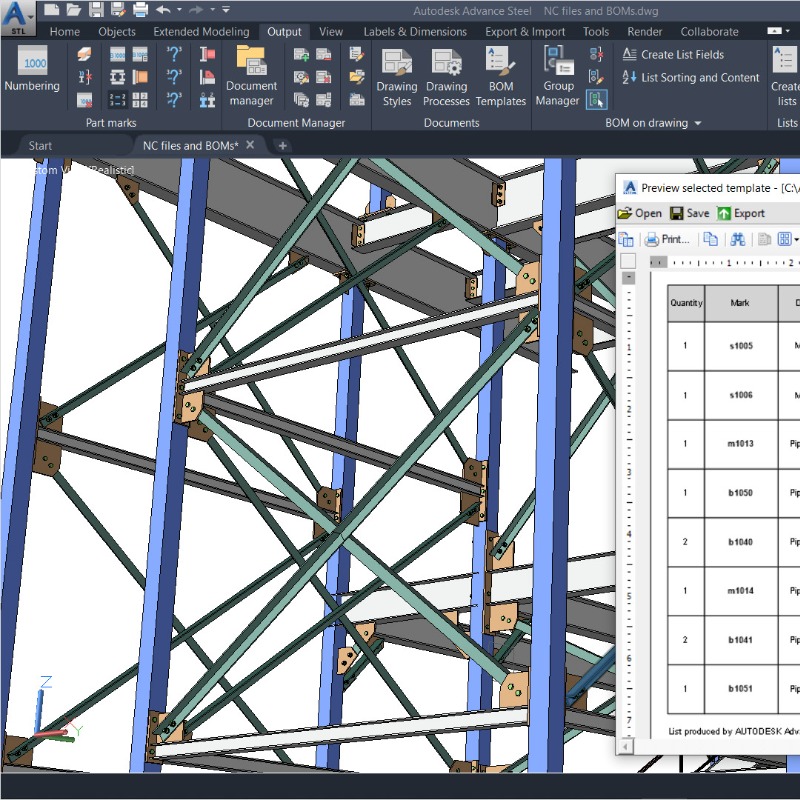
- Automated Documentation: Automated generation of shop drawings, bills of materials (BOMs), and NC files for fabrication.
- Steel Fabrication Data: Improved tools for managing and exchanging steel fabrication data with manufacturing equipment.
General AutoCAD Features Also Present:
Since Advanced Steel is built on AutoCAD, it also includes features like:
- AutoCAD on the web and mobile.
- Cloud storage connectivity.
- DWG compare and history tools.
Key Benefits of Using Advanced Steel:
- Increased productivity: Automate repetitive tasks and streamline workflows.
- Improved accuracy: Reduce errors and improve the quality of steel detailing.
- Better collaboration: Facilitate communication and coordination among project stakeholders.
- Enhanced interoperability: Seamlessly exchange data with other BIM software.
Minimum and recommended system requirements for Autodesk Advanced Steel 2025:
For Windows:
Minimum:
- Operating System: 64-bit Windows 11 or Windows 10 version 1809 or above.
- Processor: 2.5–2.9 GHz processor (base) with 8 logical cores. ARM Processors are not supported.
- Memory (RAM): 8 GB
- Display Resolution: 1920 x 1080 with True Color
- Display Card: 2 GB GPU with 29 GB/s Bandwidth and DirectX 11 compliant
Recommended:
- Processor: 3+ GHz processor (base), 4+ GHz (turbo)
- Memory (RAM): 32 GB (This is crucial for handling complex steel structures)
- Display Resolution: Resolutions up to 3840 x 2160 (4K) with a capable display card
- Display Card: 8 GB GPU with 106 GB/s Bandwidth and DirectX 12 compliant. DirectX 12 with Feature Level 12_0 is required for Shaded (Fast), Shaded with edges (Fast), and Wireframe (Fast) visual styles.
Other Important Notes:
- Disk Space: 10 GB (Autodesk suggests an SSD for best performance). An additional 1 GB of free disk space is recommended for disk cache. Note: The system temporary folder requires up to 12 GB of additional free space during download installation.
- Pointing Device: MS-Mouse compliant
- .NET Framework: .NET 8
- Browser: Chrome
- Network: See Autodesk Network License Manager for Windows
- Media: Install Now (WI), Download/Browser (DLM)
- Always use the latest drivers: Ensure you have the latest drivers from your video card manufacturer's website.















 Nuance Software

.png)



Login To Comment